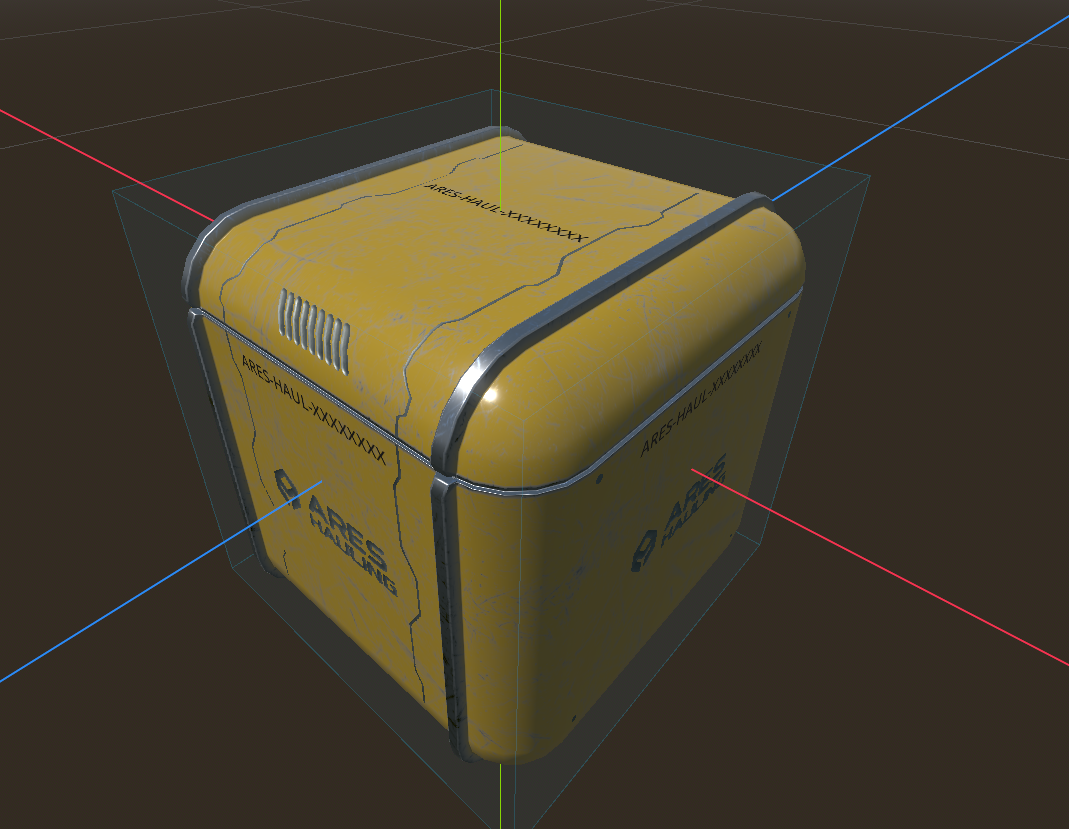
Crate IDs — the serial printed on every box
Every hauling box, pallet and cargo box should be identifiable at a glance: crates live their own
life and are never destroyed, so each one carries a unique ID printed on its faces
(e.g. ARES-HAUL-8C44B2F9). This page explains where that ID comes from and how to add it to any crate.
The ID is the prop's UUID (it already exists)
Every networked prop (anything extending GenericProp) already has a UUID — generated on the
server, persisted in the ScyllaDB items table, replicated to clients, and stable forever. That
UUID is the crate's unique identity: reload the world and the same crate keeps the same id.
So the ID system does not invent a parallel identifier — it just makes that UUID visible, with a readable "company / type" prefix.
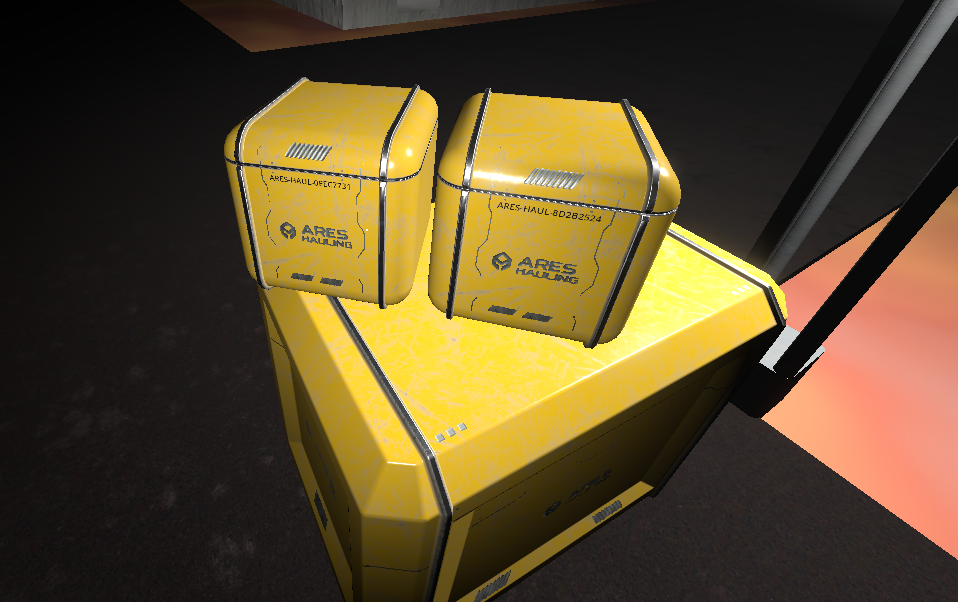
The serial shown on the crate
The on-crate text is COMPANY-TYPE-UUID, for example ARES-HAUL-8c44b2f9-…:
id_companyandid_typeare two@exportfields on the prop (defaultsARES/HAUL), set per scene in the Inspector — a pallet could beARES/PAL.- The UUID is the real unique key. On a small face it is long, so
id_short_display = trueshows only its first block, uppercased (ARES-HAUL-8C44B2F9); the full UUID stays the identity.
The whole string is computed locally from the UUID (GenericProp.serial()), so there is no extra
database column, no new network message and no service change — the crate already carries its UUID.
Displaying it: the prop_id_label group ("id-frames")
To show the id, drop a Label3D node into the group prop_id_label somewhere in the scene — an
"id-frame". GenericProp fills every node in that group with the serial as soon as the UUID arrives,
so you can put one frame per face and they all show the same id.
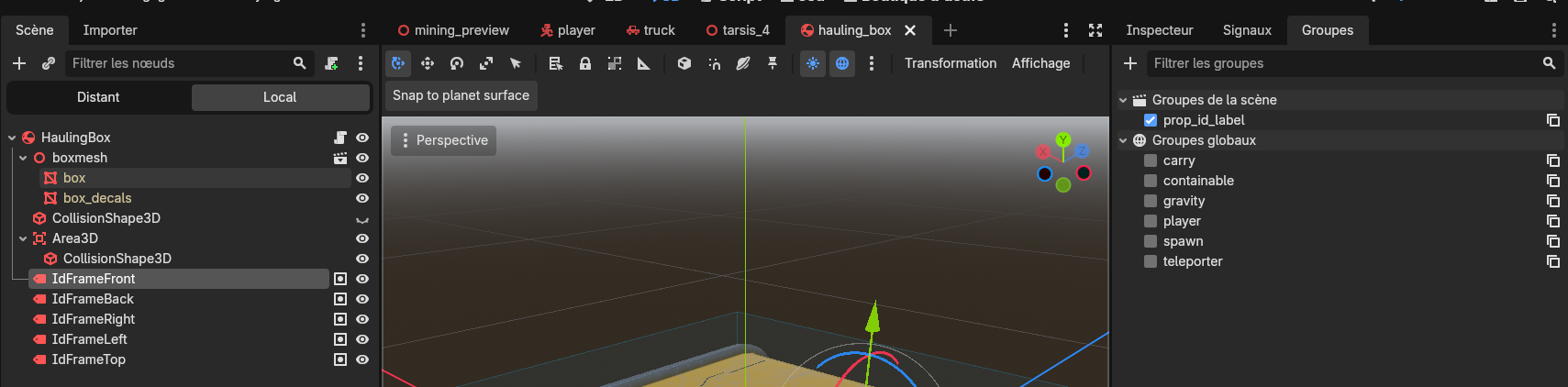
Detection is is_in_group("prop_id_label"), not the node's name. Name your frames however you like
(IdFrameFront, …); just make sure each one is in the group prop_id_label, or it will not be filled.
Adding IDs to a new crate
- The crate's root script extends
GenericProp— already true forscenes/props/cargo/*crates (they have a UUID). Static decor boxes (scenes/props/StorageBoxes/*, whichextends Node3D) have no UUID and are out of scope. - Add one or more
Label3Don the faces, each in the groupprop_id_label, positioned and sized on the surface (non-billboard, oriented outward — one per face). - Set
id_company/id_typeon the root (or keep the defaults), optionallyid_short_display.
No code per scene. Reference example: scenes/props/cargo/hauling_box.tscn (5 id-frames: front / back /
left / right / top).