Server props — the network layout, kept off the client
Why: the layout lives on the server (anti-datamine)
Part of the world is not in the game you ship. Open sandbox_capital.tscn in the Godot editor
and you see the base city — but no spawn apartments and no hangar (nor the crates inside it).
Those exist only in a JSON on the server: horizonserver's ds_genericprops/startup_items.json. At
startup the server reads that JSON — coordinates, collision, name, type, per-type data — and
plants every object as a GORC network object, which Horizon then replicates to the clients in
range.
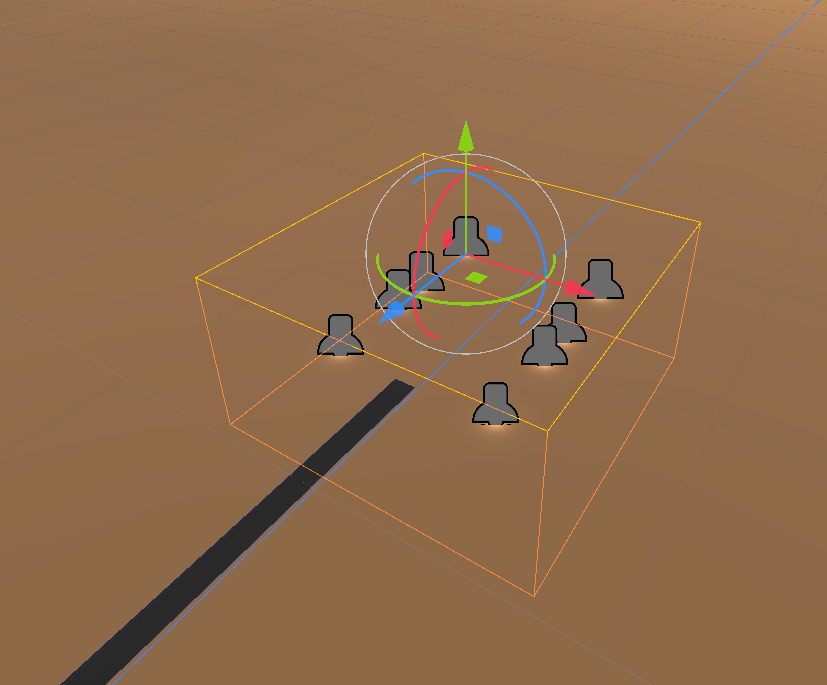
The client only ships the generic prop scenes (a box, a spawn building, a warehouse…). It never ships where they are, which ones exist, or how many — so a player cannot datamine the client files to find secret placements or loot. The layout stays with the authoritative server. ⚠️ That is the whole point: it must not be dataminable.
The problem this plugin solves
The layout is JSON, but a level designer must not hand-edit it. Moving a single hangar crate
would mean editing raw numbers in startup_items.json — inconceivable, and worse:
- The Godot scene is authored at the origin
(0,0,0)(as any scene is), while the server spawns the city millions of km away, at real planetary coordinates. Hand-matching those is hopeless. - You cannot see the layout while editing raw JSON.
So we need to round-trip the JSON through the Godot editor: import it, edit it visually, export it back — and strip it from the scene before building.
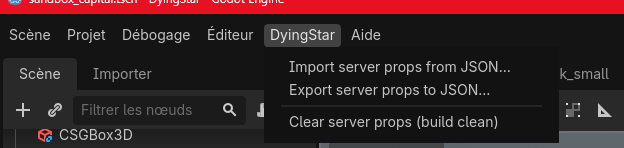
The DyingStar plugin (editor menu)
Enable the DyingStar plugin (addons/dyingstar/, in Project → Project Settings → Plugins). It
adds a DyingStar menu to the editor's top menu bar (right before Help / Aide):
| Menu item | What it does |
|---|---|
| Import server props from JSON… | Pick a JSON (e.g. startup_items.json): every object is instantiated in the open scene under a dyingstarNetwork node, so you see and edit the real layout. |
| Export server props to JSON… | Write the current network props back to a JSON — trimmed to the whitelisted properties of each type (see below). |
| Clear server props (build clean) | Delete the dyingstarNetwork subtree, leaving the scene clean for the build (the layout is not shipped). |
| Update network definitions (GitHub) | Fetch the full list of network type definitions (type_def.json files) from horizonserver's ds_genericprops/props, and cache them locally. Import/Export need it (designers have no local Horizon) — it also runs automatically when the editor starts. |
| View network definitions… | Show the cached whitelists (which properties each type replicates). |
The dyingstarNetwork marker
Every network object lives under one dyingstarNetwork node (a ServerPropsRoot), created on
import. It is the single place the designer edits, and the only subtree that gets serialized — and it
is never written into the JSON itself (it is purely an editor grouping, marked with a yellow
warning triangle so nobody ships it by accident). Its parent_id export is the GORC parent its
direct children attach to (e.g. _planet_SandBox); nested props derive their own parent_id
automatically from their Godot parent's uuid, so a designer only has to place nodes.
The edited scene's root is itself the top prop — it must carry a uuid (it is a server prop,
e.g. the city). The plugin records the root's identity from the JSON and never recreates it.
uuid — matching the JSON anchorImport refuses if the open scene's root has no uuid:
DyingStar import FAILED: The scene root has no uuid. Open the scene of a server prop (its root must carry a uuid) before importing.

Set the root's uuid to the same value as the JSON's top object (the object_uuid of the city
above). Otherwise the anchor can't be matched: every prop would reparent to the wrong place and the
export would not rebuild the file correctly.
A Godot scene is edited at (0,0,0); the anchor's real server spawn position (the planetary
coordinate, e.g. y: 2200667) is kept aside and re-emitted on export — you never see or fight those
huge numbers. You move props relative to the city in the editor; the anchor carries the world
offset for the whole subtree.
The JSON format
The file is a flat array of objects; the parent/child hierarchy is expressed through parent_id
(a uuid, or a planet id such as _planet_SandBox at the top):
[
  {
    "object_type": "city",
    "object_uuid": "ed20bda3-f6f3-4053-b9de-968f73ebc44c",
    "object_data": {
      "name": "city",
      "parent_id": "_planet_SandBox",
      "scenename": "scenes/props/city/sandbox_capital.tscn",
      "position": {"x": 0.0, "y": 2200667.0, "z": 0.0},
      "rotation": {"x": 0.0, "y": 0.0, "z": 0.0}
    }
  },
  {
    "object_type": "spawnbuilding",
    "object_uuid": "0aae4c9b-1ad1-43ef-831a-464be950eac1",
    "object_data": {
      "name": "tarsis_4-1001",
      "parent_id": "ed20bda3-f6f3-4053-b9de-968f73ebc44c",
      "scenename": "scenes/_universe/structures/buildings/spawn_building.tscn",
      "position": {"x": 0.0, "y": 0.0, "z": 0.0},
      "rotation": {"x": 0.0, "y": -1.5708, "z": 0.0},
      "cols": 6, "rows": 2, "floors": 1, "total": 12,
      "spawn_point": {"x": -1.934, "y": 0.071, "z": 1.471}
    }
  }
]
| Field | Meaning |
|---|---|
object_type | The prop's network type (city, spawnbuilding, storagewarehouse, box…). It must have a matching type_def.json. |
object_uuid | Stable id; other objects reference it as their parent_id. null for a leaf that nothing parents onto. |
object_data.parent_id | The GORC parent (a uuid above, or a planet id at the top). Horizon rebuilds the world transform by walking this chain. |
object_data.scenename | The client scene to instance for this prop (res:// stripped). |
object_data.position / rotation | Local to the parent. On the anchor (scene root) it is the server spawn distance, not the editor origin. |
object_data. (type-specific) | Anything the type declares in its def — e.g. a spawn building's cols / rows / spawn_point, a box's contents. |
The sandbox_capital example is exactly this shape: one city (the anchor) → 12 spawnbuilding
(the spawn apartments) + 2 storagewarehouse (the hangar) → 7 box (the crates inside), each
parent_id pointing at its container.
Whitelist: only what the type declares
On Export, each object's object_data is trimmed to the properties its type_def.json allows —
the same whitelist Horizon uses to replicate that type (see
Replication definition files). So the JSON never carries
editor-only noise, and a property you forgot to declare is dropped silently → add it to the def and
rebuild Horizon.
The round-trip, step by step
- Update network definitions (done automatically at editor start; re-run after adding a type).
- Open the anchor scene (e.g.
sandbox_capital.tscn) — its root carries theuuid. - Import the JSON → the apartments, hangar and crates appear under
dyingstarNetwork. - Move / add / remove props visually — they are normal scene nodes now.
- Export → save the JSON and commit it to horizonserver (
ds_genericprops/…). - Clear → remove
dyingstarNetworkso the committed scene and the build stay clean.
The dyingstarNetwork subtree is for editing only. If you leave it in and ship the .tscn, the
secret layout is back in the client — dataminable again. Export, then Clear.
Worked example: block a road with the hangar crates
A level designer is asked to move the hangar containers to block a road. No JSON editing needed:
- Open
sandbox_capital.tscn. In the editor it shows the bare city — no apartments, no hangar. Set its root'suuidto the JSON anchor (once). - Import server props from JSON… → pick
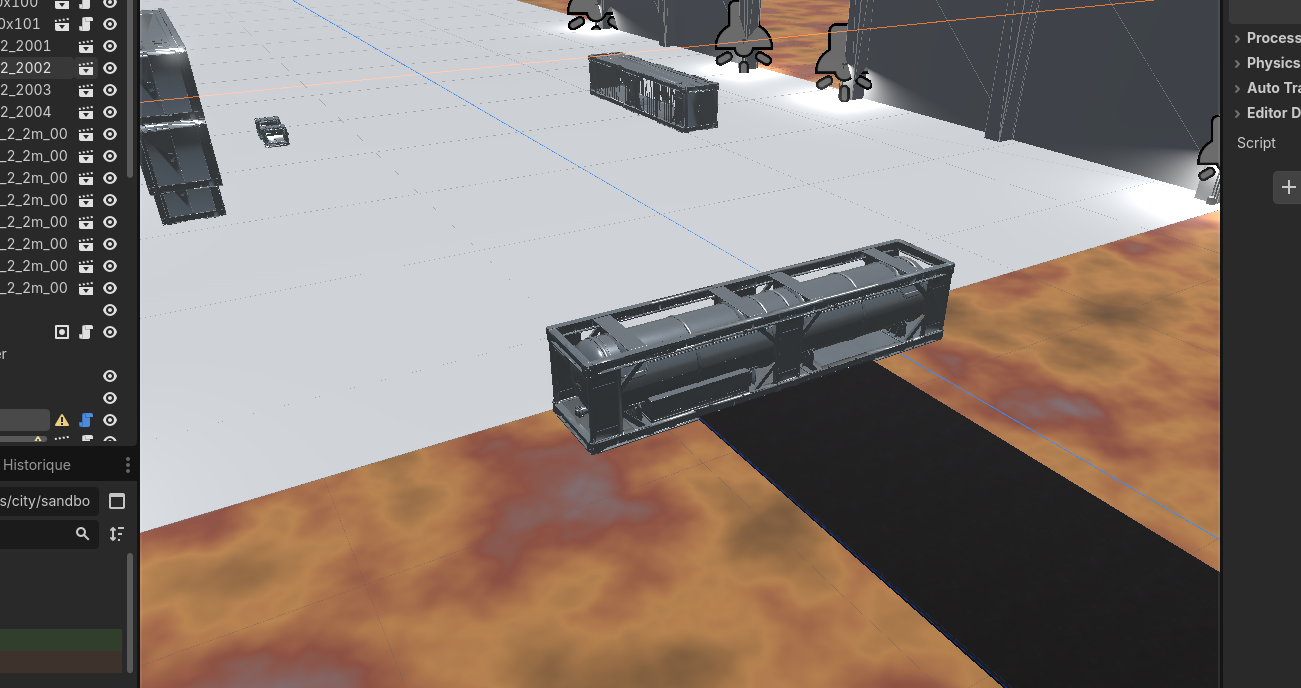
startup_items.json. The apartments, the hangar and its crates appear underdyingstarNetwork. - Select the crates and drag them onto the road in the viewport — they are normal nodes now.
- Export server props to JSON… → overwrite
startup_items.jsonand commit it to horizonserver. - Clear server props (build clean) → the scene is empty again, build-safe.
- Re-import to check: the crate is still where you moved it — the new position round-tripped through the JSON. At the next server start, the crates are planted on the road.
Dragging a container onto the road in the editor:
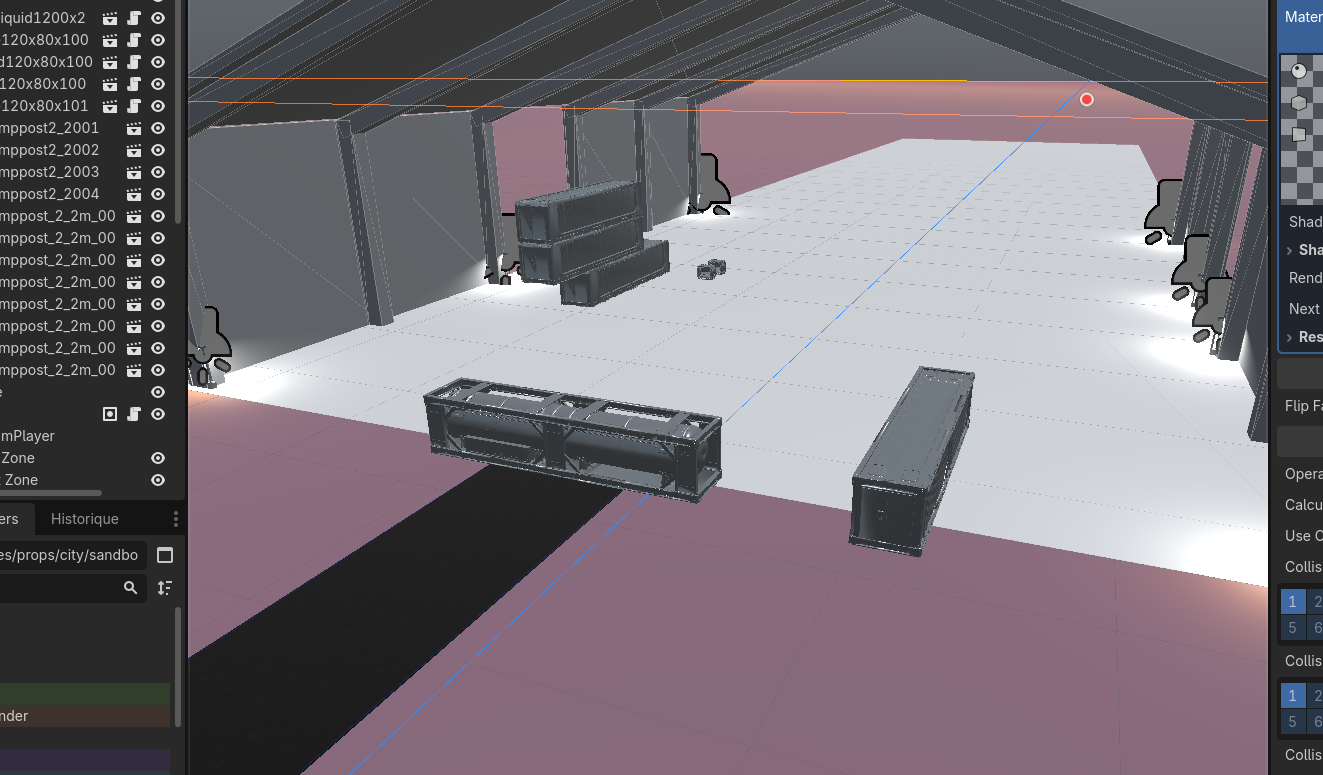
After Export → Clear → re-import, the container is still on the road (the move round-tripped through the JSON):